

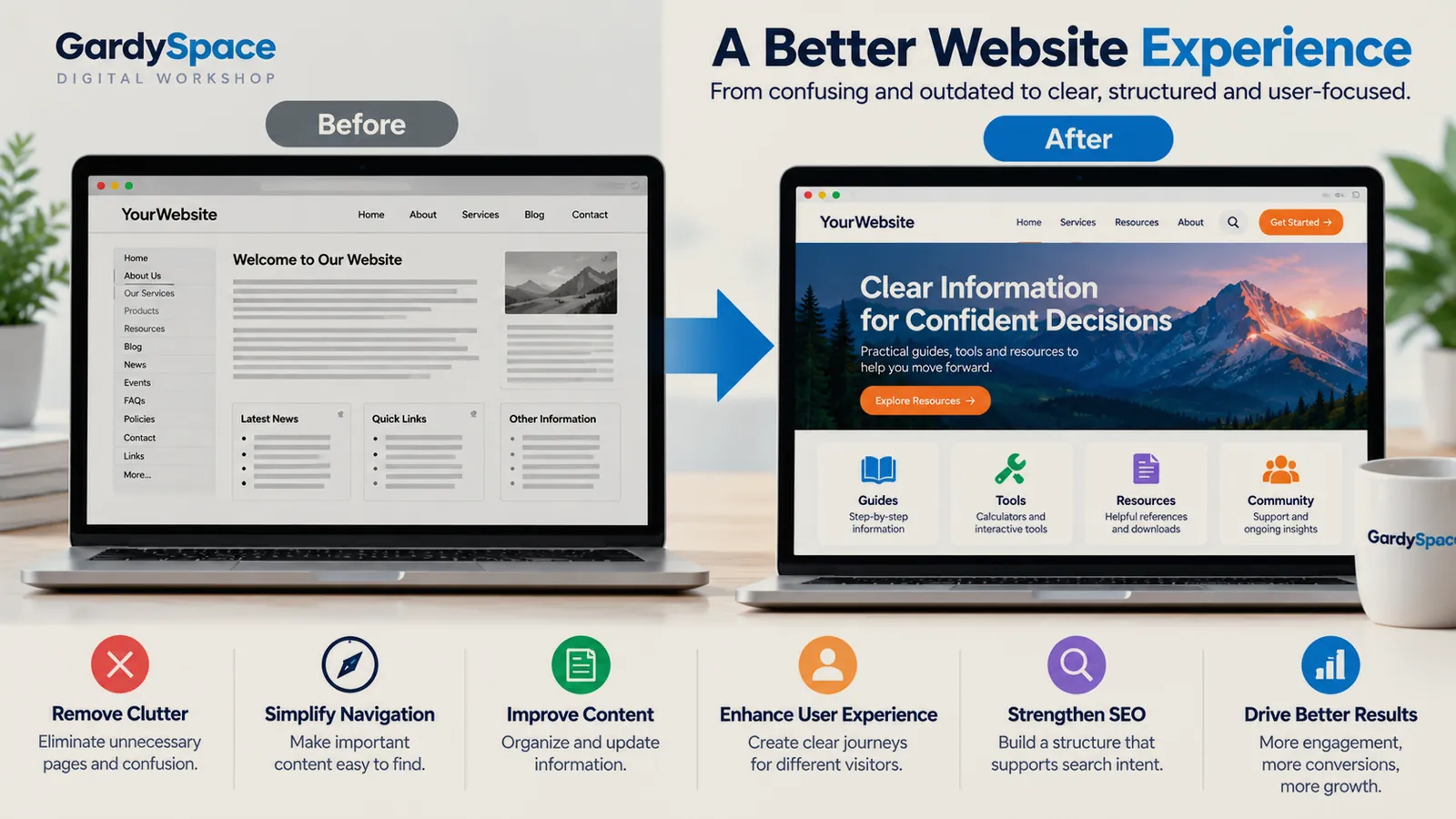
A website redesign is a planned change to how a site looks, how it's organized, or both. The ones that work start with an audit, fix the structure before the visuals, map every changed URL to a new home, and measure what happened after launch.
The word redesign makes people think of colors and layouts. Those matter. But in most of the rebuilds I've done, the real problems were structural: pricing nobody could find, a phone number that didn't exist, a news section where every link went to the same page. A new coat of paint wouldn't have fixed any of them.
Refresh, redesign, or restructure?
These three get used interchangeably, and they're different jobs with different costs. Picking the right one is the first decision.
If you can't tell which one you need, that's what the audit is for. Restructuring is the one that overlaps most with website architecture, so it's worth reading that page before changing a single URL.
Signs a site needs a redesign
- The menu has a More tab. That's usually where the plan ran out.
- Important information lives on a page nothing links to. Bella Passion Creations had a genuinely good pricing breakdown sitting under an unrelated URL, reachable from nowhere.
- Several pages compete for the same search. Search Console shows them trading places, and neither ranks well.
- Visitors can't take the next step. No phone number, a broken form, a checkout that goes nowhere.
- The brand says different things in different places. NewsBeauty's company name, brand name, and domain had blurred together across bios, flyers, and the old site.
One sign that looks like it belongs on this list and doesn't: a low-value content warning. DryOutHub got one, and the fix wasn't a redesign at all. It was a robots.txt setting blocking crawlers. Rule out technical causes before rebuilding anything. Here's how that one played out.
Audit before you redesign
Every rebuild I've done started with an audit, page by page, before touching any code. It's the least glamorous step and the one that decides whether the redesign fixes anything. Two audits run side by side.
Structure audit
List every page, its URL, what it's for, what links to it, and whether it gets search impressions. Flag orphans, duplicates, and pages doing two jobs.
UX audit
Walk the site as a first-time visitor on a phone. Can you find the price, the contact path, and the next step from any page? Note every place you got stuck.
The output is a simple spreadsheet with one decision per page: keep, merge, rewrite, or remove. That spreadsheet becomes the redirect map later, so it's worth doing carefully.
The website redesign process
Six steps, in this order. The order is the strategy: structure before visuals, protection before launch, measurement after.
-
Audit what exists
Run both audits and write down what the site is failing to do, in plain sentences. Visitors can't find pricing. Two pages fight over the same keyword. Those sentences become your success criteria.
-
Decide what stays
Pages that rank and convert are assets, even if they look dated. Keep their URLs. Merge thin pages that cover the same question. Remove only what has no traffic, no links, and no purpose.
-
Rebuild the structure
Draft the new hierarchy and navigation before any design work. For Bella Passion Creations, services became rentals, tiered packages, and event bundles, because that's how she actually sells.
-
Redesign the experience
Now the visuals. Pull the palette and imagery from the business itself, not a template. Check contrast with real math, not your eyes, and test on a real phone.
-
Protect search equity
Map every old URL that changes to its closest new page with a 301 redirect. Update the sitemap. Check robots.txt, canonicals, and internal links before launch day, not after.
-
Launch, then measure
Watch Search Console coverage and queries for the following weeks. Compare against the sentences from step one. A redesign is done when those problems are gone, not when the site looks finished.
Protecting search traffic during a redesign
This is where redesigns lose rankings they took years to earn. The fix is boring and reliable: a redirect map built from the audit spreadsheet.
OLD URL                        →  NEW URL                    ACTION
/pricing-copy-2/               →  /packages/                 301
/our-services/                 →  /services/                 301
/services/grab-and-go/         →  /services/grab-and-go/     keep
/blog/post?id=12               →  /blog/knotless-braids/     301
/old-promo/                    →  (no equivalent)            410
Two launch-day lessons from my own mistakes. First, check that the deploy actually landed in the web root. A NewsBeauty upload extracted one folder too deep, the domain showed a 404, and a search bot crawled it while it was broken. Second, test pages reached through URL rewrites. On this site, every post briefly rendered with no styling because relative paths resolved differently once a rewrite made the URL look deeper than the file was. Absolute paths fixed it.
The search-side reasoning behind all this, how hubs and internal links carry authority, lives on the SEO site architecture page.
UX redesign and navigation redesign
A UX redesign isn't about making things prettier. It's about removing the moments where someone gets stuck. The ones I see most often:
- A contact path on every page. A real phone number and one clear action, not a buried email link.
- Fewer, clearer menu items. Group by what visitors want to do, and move everything else to the footer.
- Real destinations behind every card. If a card looks clickable, it should lead somewhere specific.
- Mobile tested on an actual phone. A client's screenshot caught a footer overflowing off-screen that my own testing never did.
Journeys, flows, and content hierarchy get a fuller treatment on UX and information architecture.
Website redesign checklist
The short version I run before calling a redesign ready to launch:
Every existing page has a decision: keep, merge, rewrite, or remove.
The new hierarchy is drawn out before design starts.
Every changed URL has a 301 to its closest new page.
Contact path and pricing are reachable from any page.
Text and buttons pass WCAG 4.5:1 contrast, measured.
Tested on a real phone, not just a resized browser.
Sitemap, robots.txt, and canonicals checked on the live domain.
A date is set to review Search Console after launch.
The full audit-to-launch process as a checklist: seven audits, a technical rule-out, a page decision matrix, a redirect map, and launch and post-launch checks. Printable and fillable PDF, $24.
Get it for $24See all five products
Sold through the IGNE Publishing shop, my business entity.
What went wrong in real rebuilds
These are the ones I'd warn anyone about before they start.
Defending my own placeholder work
I built Bella Passion Creations' early identity around a monogram I invented. When her real logo arrived, the right move was to drop mine everywhere. It's her site. The full rebuild.
Trusting my eyes on contrast
The brass-on-parchment palette looked fine. The WCAG math said 3.55:1 and 3.9:1, both failing. Measure, don't eyeball.
Calling it finished too early
I graded that rebuild B+, 86 out of 100, not a victory lap. The form backend, image weight, and legal review were still open. A redesign is done when the punch list is empty.
Real rebuilds
Each of these went through some version of the process above.
Bella Passion Creations
Rebuild around the client's real services, pricing, brand assets, and trust signals.
View the projectNewsBeauty
Make a local beauty brand useful beyond a single service page.
View the projectPetCareHall
Turn useful information into a connected problem-solving experience.
View the projectDryOutHub
Give a high-intent visitor a useful path through a stressful service problem.
View the projectWebsite redesign FAQ
What is a website redesign?
A website redesign is a planned change to how a site looks, how it is organized, or both. A visual redesign changes design and layout. A structural redesign, often called restructuring, changes the hierarchy, navigation, URLs, and how pages connect. The best redesigns usually start with structure and finish with visuals.
How do I know if my site needs a redesign or just a refresh?
If visitors can find what they need and the problem is mostly how the site looks, a refresh is enough. If people land on the wrong pages, several pages compete for the same topic, or new content has nowhere to live, you need a structural redesign. Audit first, then decide.
Will a website redesign hurt my SEO?
It can, if URLs change without redirects or if pages that rank get merged or removed carelessly. Keep URLs that already perform, map every changed URL to its new home with a 301 redirect, update the sitemap, and check robots.txt and canonicals on launch day. Handled that way, a redesign usually helps.
How long does a website redesign take?
It depends on size and how much structure changes. A small business site I rebuilt went from audit to sixteen live pages in a focused project. A large content site restructure happens in phases over weeks or months. The audit and the redirect map take longer than most people plan for.
Should I redesign everything at once?
Not usually. Fixing the structure first and then improving pages section by section lets you see what each change actually did. A full relaunch makes sense when the old site is so broken that incremental fixes would cost more than starting over.
What should a website redesign checklist include?
At minimum: a page inventory, a decision for every page (keep, merge, rewrite, or remove), a new hierarchy, a redirect map, updated navigation, contrast and mobile checks, a working contact path, a new sitemap, and a post-launch review of Search Console. The full list is further up this page.
Worth thinking about
- If a first-time visitor had one minute on your site, what's the one thing they'd fail to find?
- Which of your pages would you be afraid to change because it brings in traffic, and do you know why it works?
Page history
- The companion product is now available through the IGNE Publishing shop.
- First published: refresh vs redesign vs restructure, audits, six-step process, redirect map, checklist, and FAQ.
Thinking about a redesign? I start every rebuild with the audit, so you'll know what's actually broken before anything gets redesigned.
Work with Gardy